
Share Your Stories: Creating a Post
Whether it's a neighborhood update, a fun poll, or memories with friends, creating a post on Rippl is simple and powerful. Here's how to craft your perfect update.
1
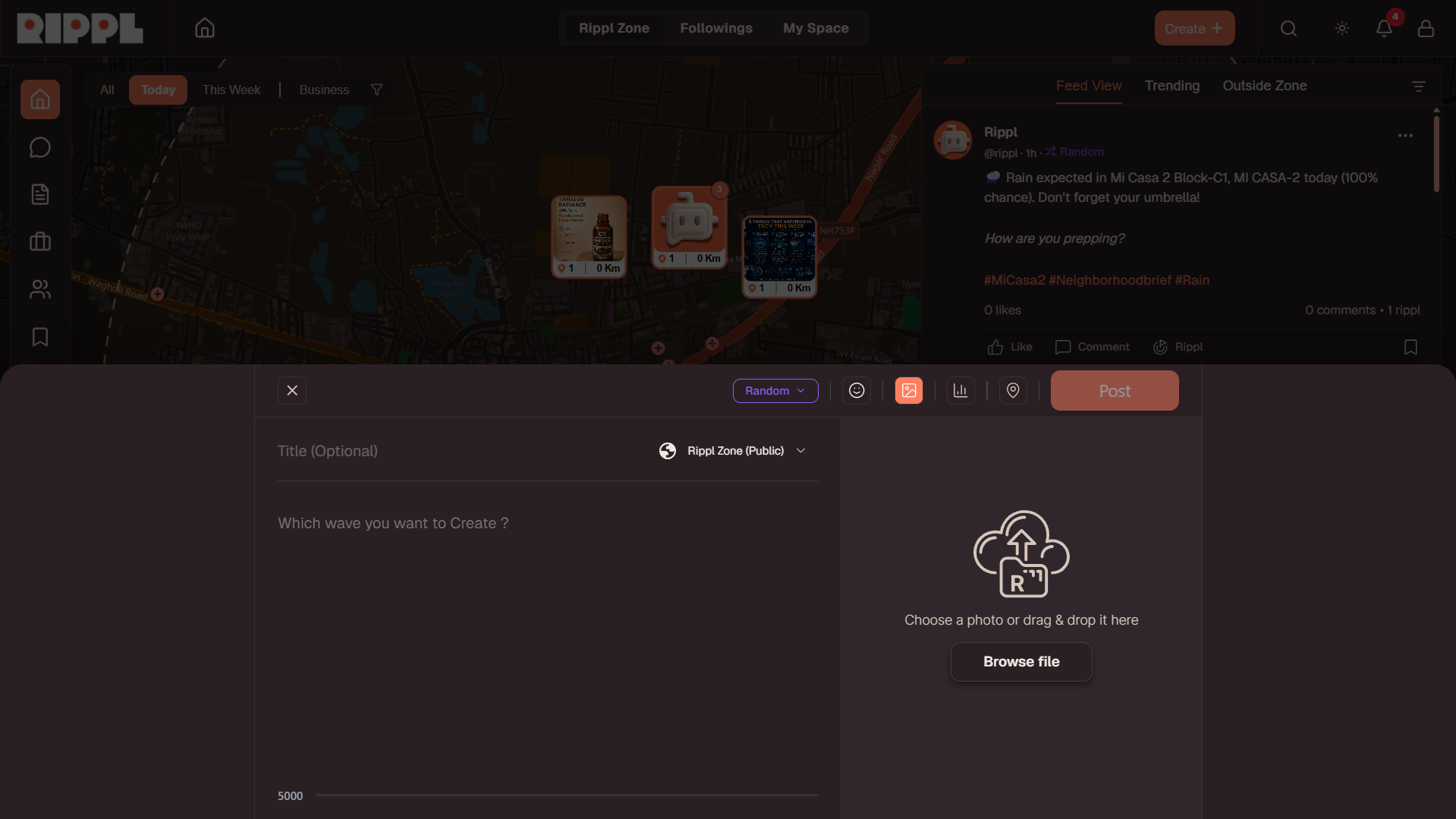
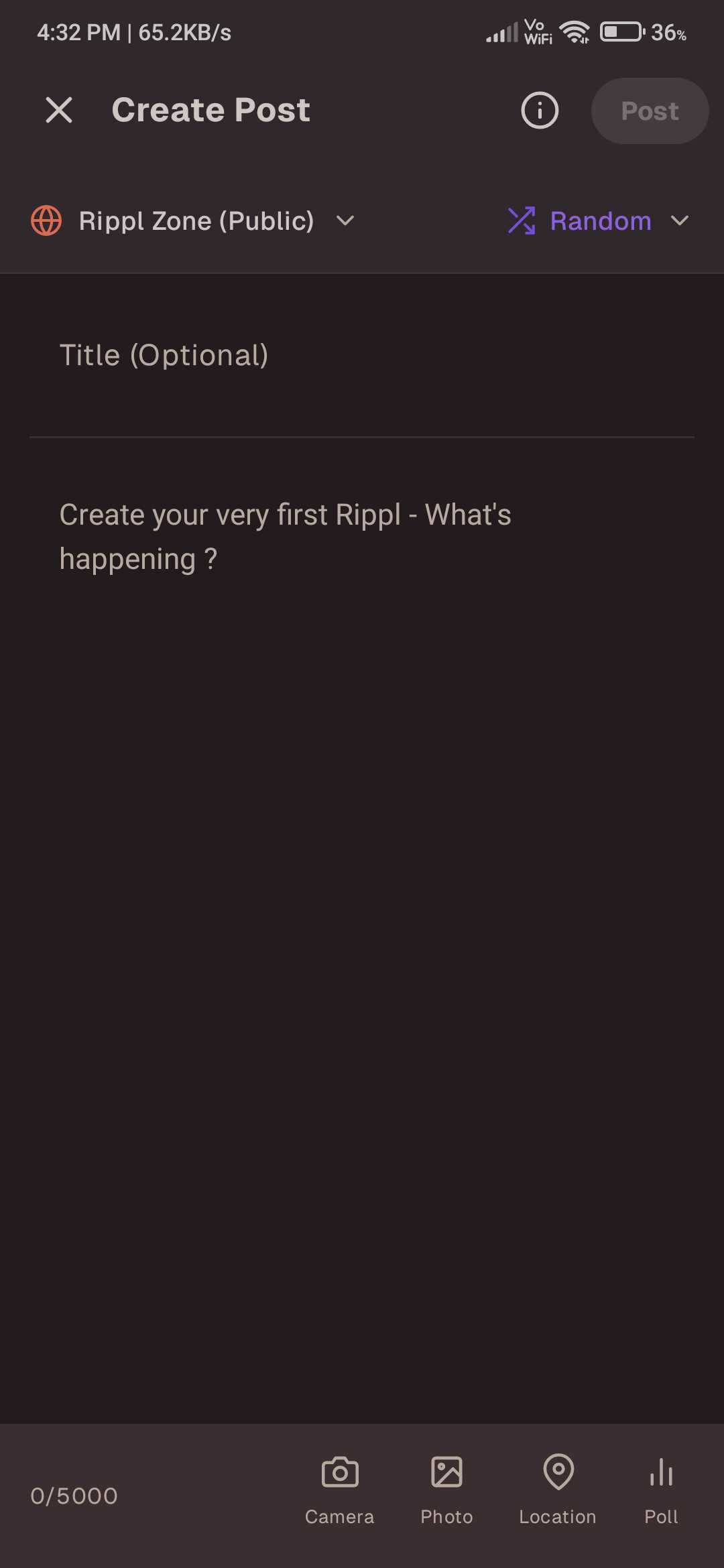
Drafting Your Content
- •Write a Title: Give your post a catchy headline! While this is optional, a good title helps your post stand out.
- •Add Description: Share the main story, thoughts, or information in the description area. This is the heart of your post.
- •Interactive Polls: Engaging your community is easy—simply click the poll icon to create custom questions and options.
- •Multiple Images: Bring your post to life by uploading multiple high-quality photos to better visualize your story.
3
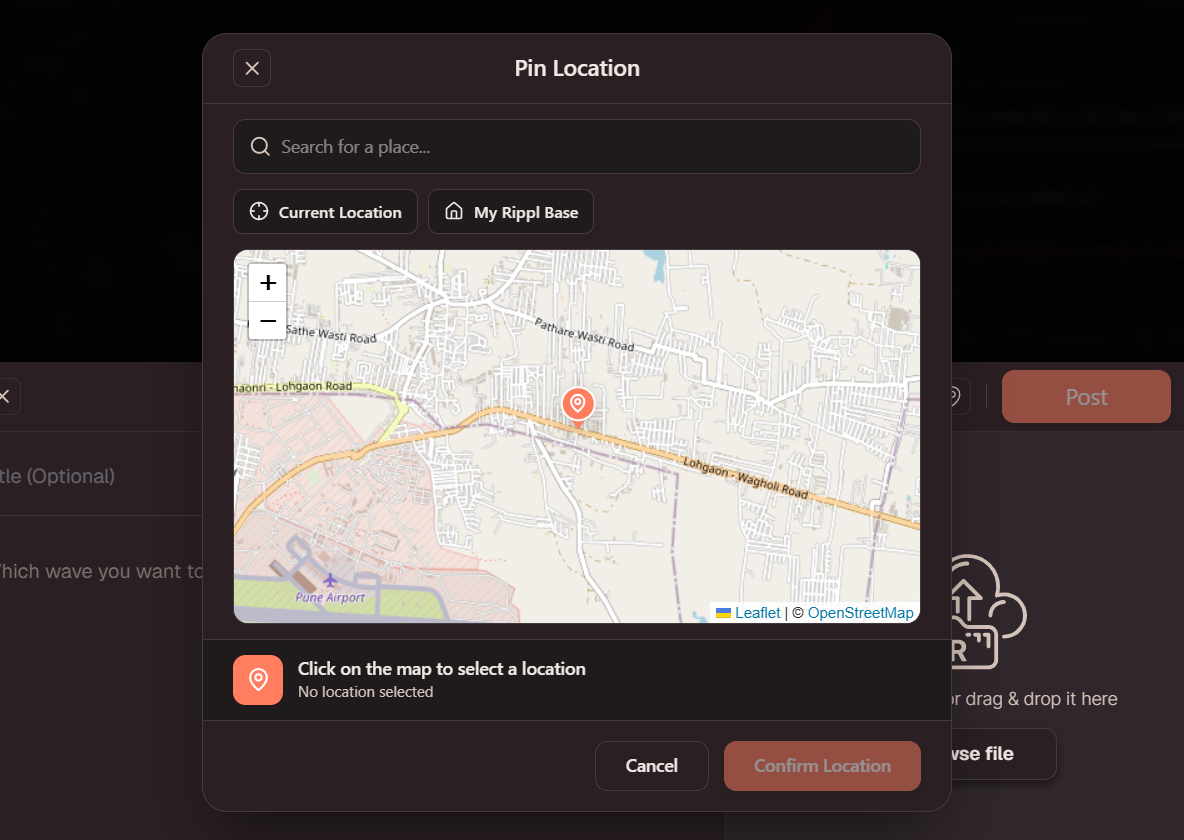
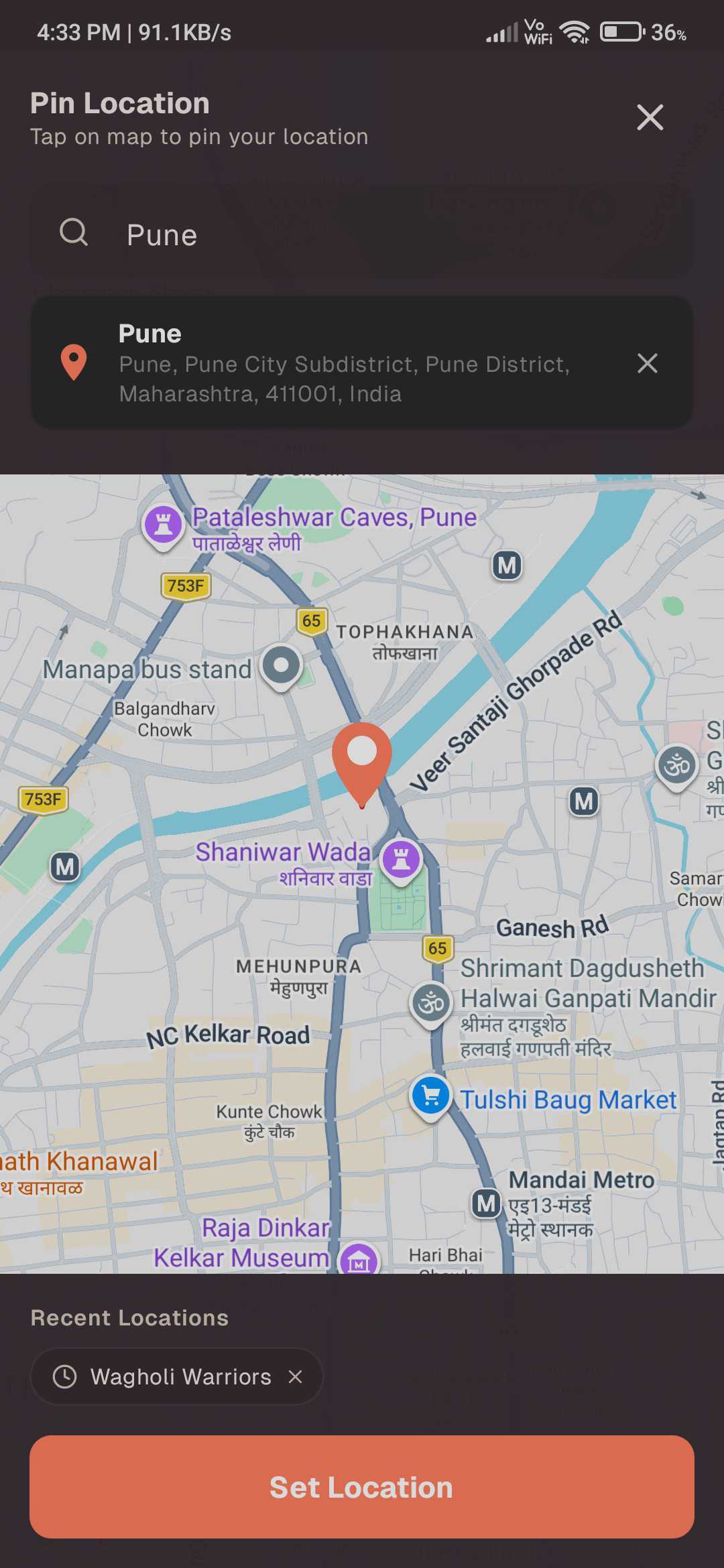
Tagging Your Journey: Pin Location
Want to share precisely where your story is happening? Our Pin Location feature allows you to tag specific spots on your posts, making them more interactive and informative.
- •Access the Map: Simply tap the pin location icon in the post drawer to open the interactive map modal.
- •Search & Explore: You can quickly find your location by searching for a specific address or exploring the map manually to find the perfect spot.
- •Set & Save: Once you've found the correct location, pin it and save. Your post is now tagged with a precise geographic marker.
- •Community Interactive: Other users will see a pin icon on your post. When clicked, it seamlessly redirects them to Google Maps for a detailed view of the location.
4
Selecting Your Feed
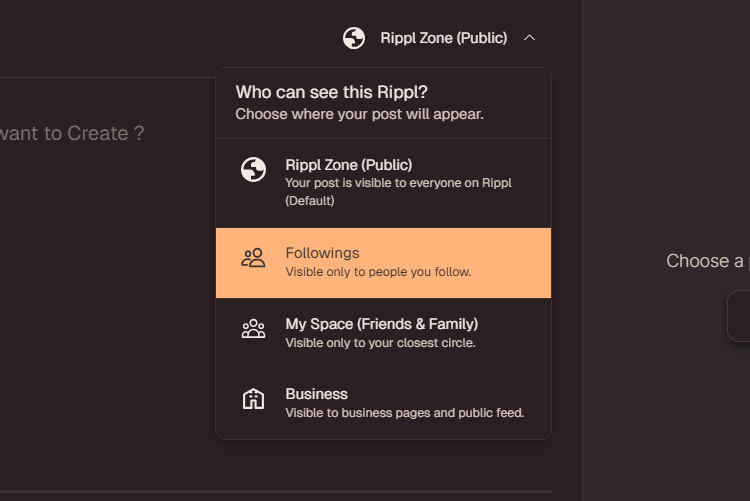
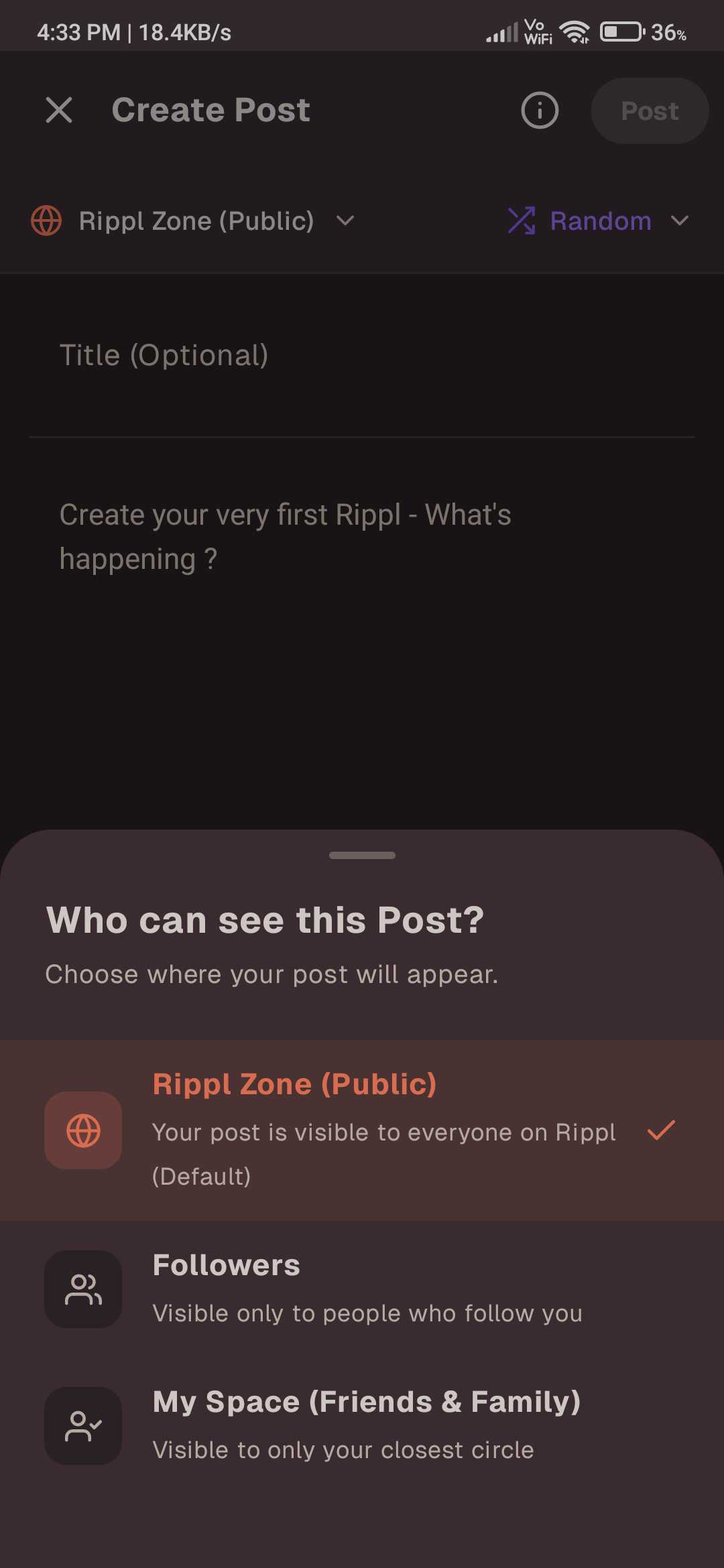
This is a crucial final step! Before hitting post, you must Select Your Feed to decide exactly who sees your update:
- •Rippl Zone: To share with everyone in your 3km radius community.
- •Following: To reach only the people who follow you.
- •My Space: To keep it private for your Friends & Family.
Need more help?
If you have any questions about creating posts or managing your content, reach out to our support team at [email protected].