
Stay Safe: Sensitive Content Lock
Rippl uses a secure content system to ensure a family-friendly experience by default. Learn how our PIN-protected lock keeps your feed safe and under your control.
Family-Friendly by Default
At Rippl, a clean, family-friendly feed is our hard default. Every image or video uploaded goes through rigorous AI screening before it ever becomes visible. This ensures that sensitive or inappropriate or mature content is blocked at the server level, keeping the platform safe for kids and teens without any setup needed.
Setting Your Secure PIN
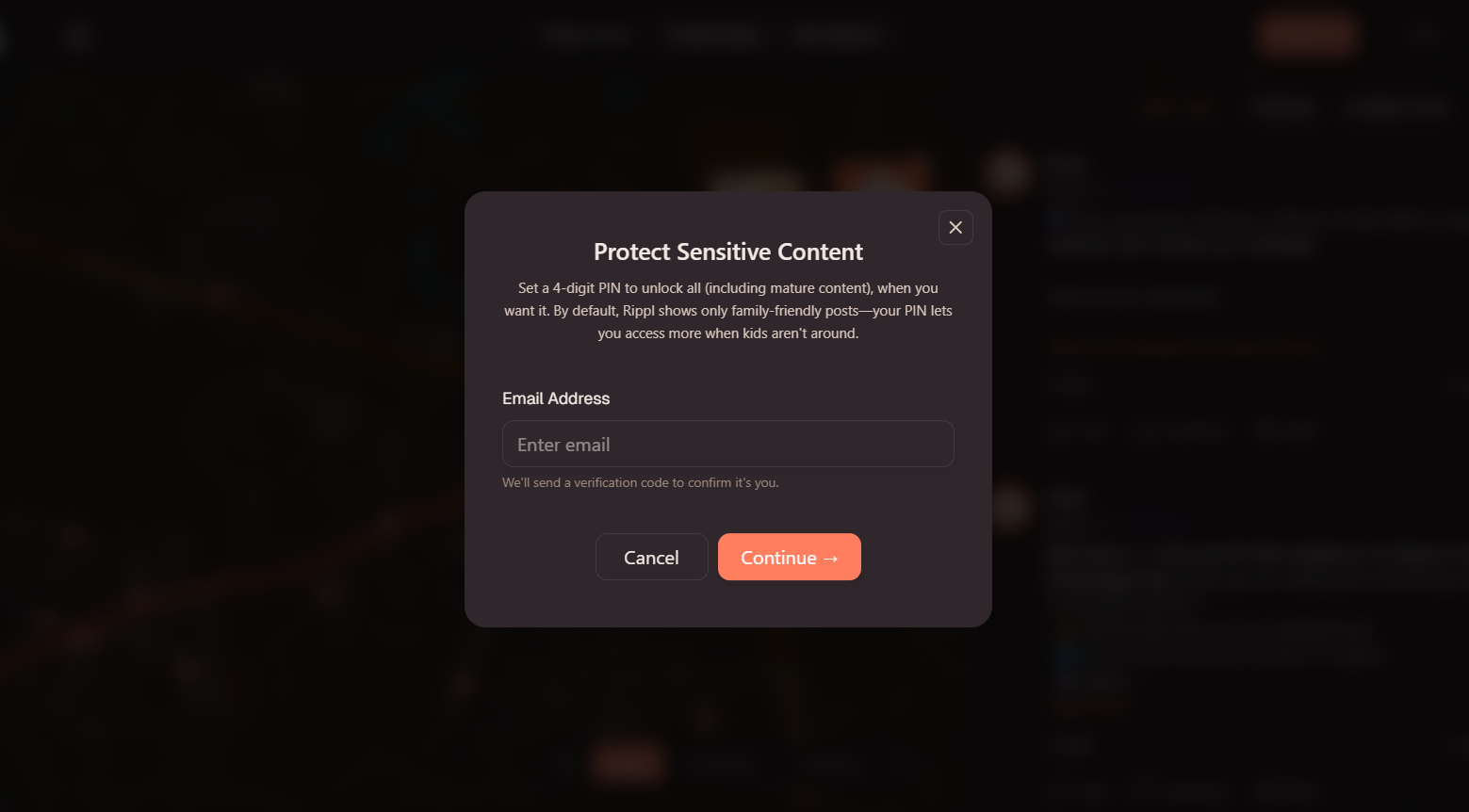
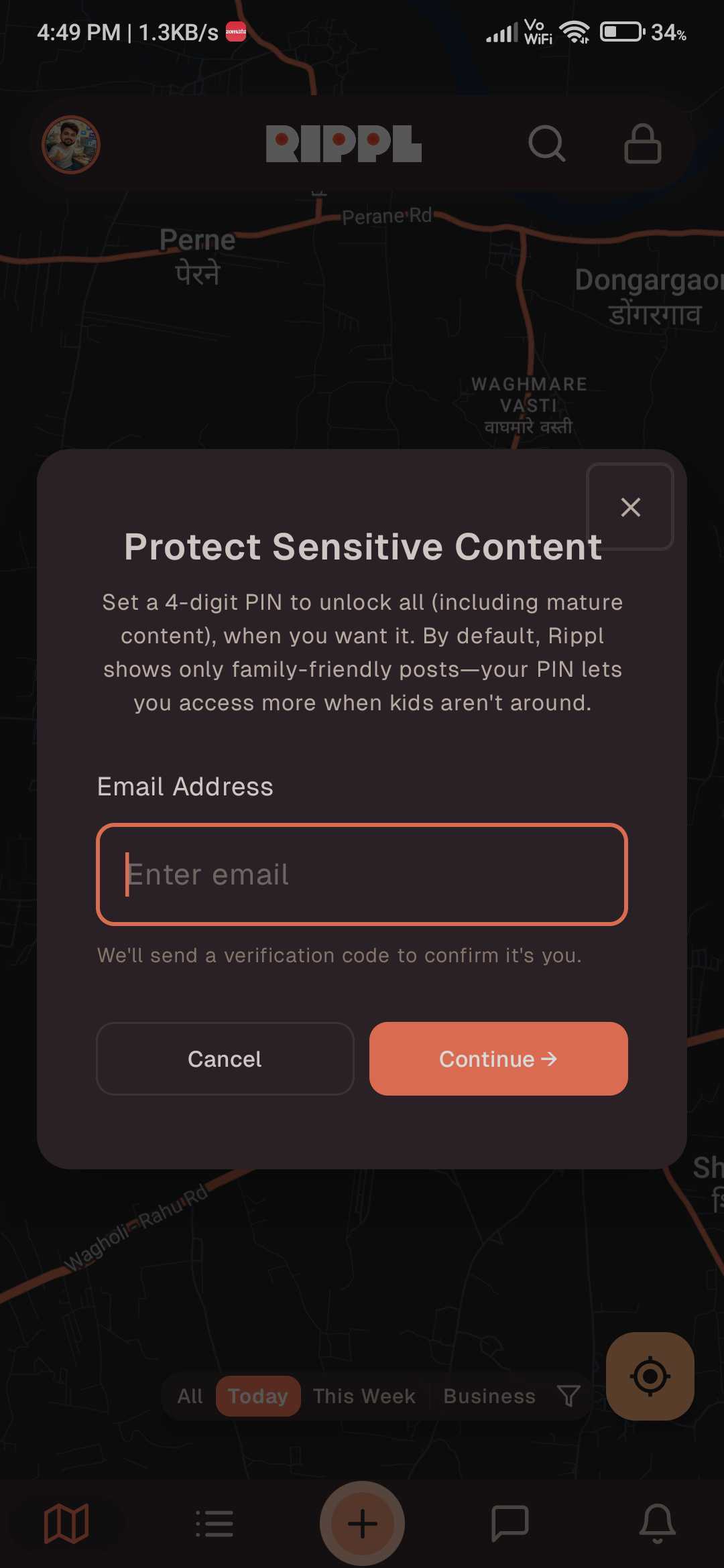
To unlock age-appropriate mature content, you must first establish a secure PIN. Follow these steps to set it up:
- •Email Verification: Enter your registered email address to receive a secure One-Time Password (OTP).
- •Verify & Create: Enter the OTP to verify your identity, then choose a unique PIN.
- •Confirm & Submit: Re-enter your PIN for confirmation and hit submit. Your secure lock is now active!
Have you forgotten your PIN or want to update it? You can easily Reset Your PIN in your Settings at any time by following the same verification process: Email Entry → OTP Verification → New PIN Creation.
Unlocking Mature Content
Once your PIN is set, you have full control over your viewing experience:
- •To Unlock: Enter your secret PIN when prompted to view locked content.
- •To Re-lock: Simply click the Lock Icon at any time to instantly hide mature content and return to the default family-friendly view.
Need more help?
If you forget your PIN or need help with content settings, our support team is always here for you at [email protected].