
Deleting Your Rippl Account
We're sorry to see you go. If you are sure about deleting your account, here is everything you need to know about the process and what happens to your data.
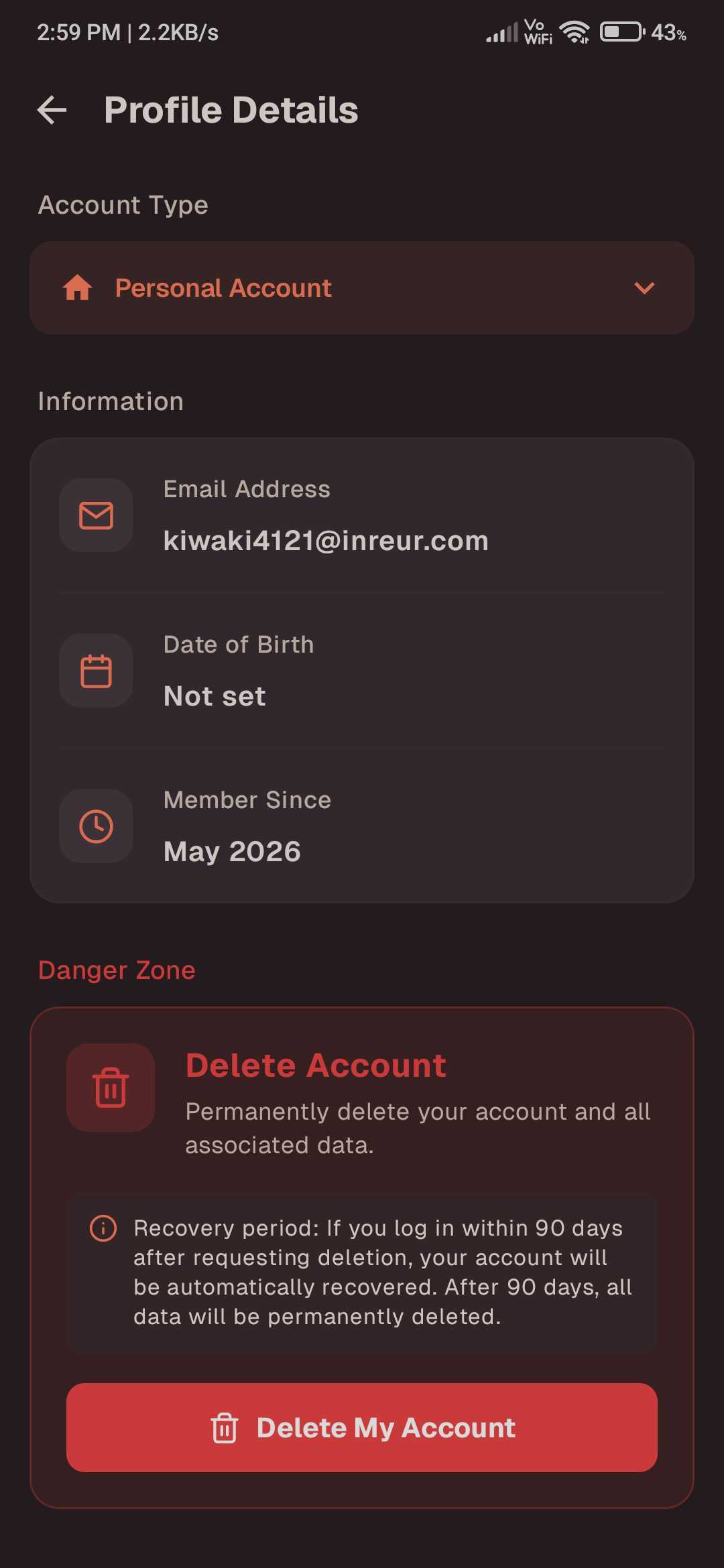
How to Find Delete Account
To begin the process, navigate to your Settings menu by clicking on your profile icon. Within the settings list, you will find the Delete Account option at the bottom of the section.
Understanding Permanent Deletion
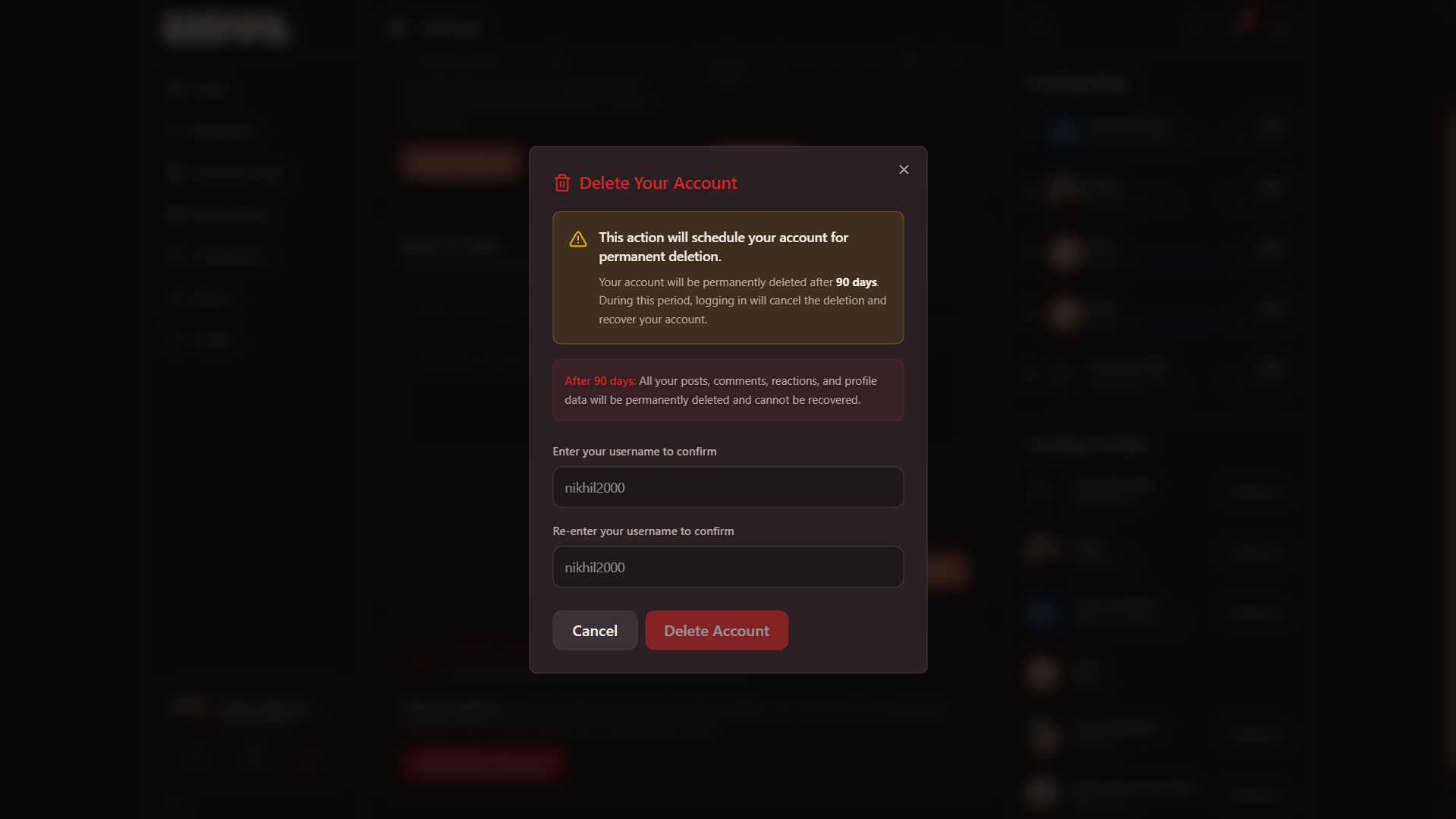
This action will schedule your account for permanent deletion.
Your account will be permanently deleted after 90 days. During this cooling-off period, logging in will cancel the deletion and fully recover your account.
After 90 days: All your posts, comments, reactions, and profile data will be permanently deleted and cannot be recovered.
Confirming Deletion
For security purposes, you will be required to re-enter your username twice to confirm your decision. This ensures that the action is intentional and secure.
Need more help?
If you have concerns about your privacy or data before deleting, or if you encounter issues during the process, please contact us at [email protected].